
UI vs UX Design: The Difference Every Designer Should Know in 2026
 Nishtha Sharma |
Feb 9, 2026 |
8 minutes read
Nishtha Sharma |
Feb 9, 2026 |
8 minutes read
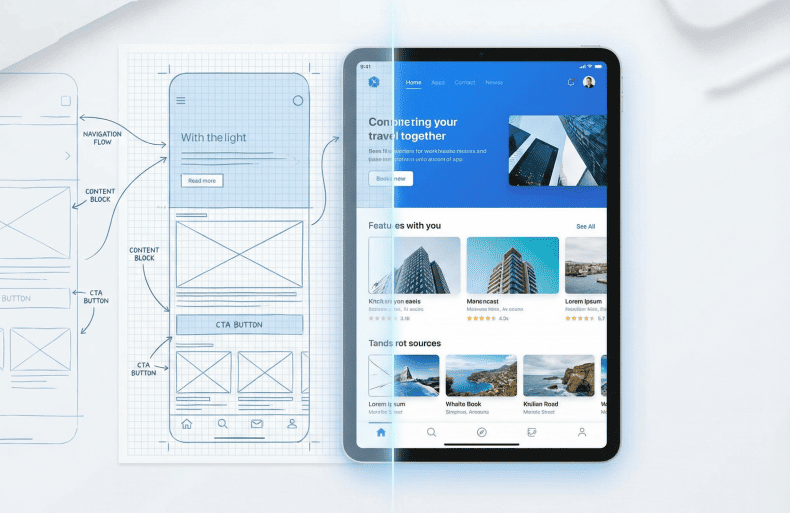
Have you ever admired an app’s design, only to abandon it minutes later because nothing made sense? Such a disconnect between UI and UX can quietly disrupt a product's growth and your career's momentum.
UI and UX are not interchangeable skills; they solve different problems at different layers of a product.
While UI focuses on how an interface looks, communicates, and maintains visual consistency, UX focuses on what makes the product functional, intuitive, accessible, and efficient. Together, they translate brand intent and usability principles into experiences users can understand and trust.
Understanding this distinction early is foundational for building usable products and choosing the right design career path.
What is User Interface (UI) Design?
User Interface (UI) design defines how a product communicates visually when a user interacts. Deliberate visual decision-making helps you design user interfaces that get attention and ensure consistency across screens.
What Are the Core Responsibilities of a UI Designer?- Translate brand identity into screens that users can instantly understand.
- Design interfaces that support visual hierarchy and reduce cognitive load.
- Maintain visual consistency across screens and interface states, such as loading, error, hover, and active interactions.
- Color systems for hierarchy, accessibility, and emotional cues.
- Typography for readability, scanning, and tone.
- Layout and spacing to create a predictable visual flow.
- Consistency through design systems and components.
- Figma for interface design, components, and collaboration.
- Adobe XD for screen design and interactive prototypes.
- Style Dictionary and Zeroheight to manage colors, typography, and scale across products.
What is User Experience (UX) Design?
User Experience (UX) design is about how a product performs, how intuitive it feels, and how consistently it meets user needs over time. It spans the entire interaction journey, from understanding those needs to validating decisions through testing and iteration.
What Do UX Designers Focus On?- Understanding user goals, behaviors, and constraints
- Designing user journeys, not just isolated screens
- Reducing friction across the entire user lifecycle
- User research through interviews, surveys, and data analysis
- Journey mapping to visualize steps, pain points, and drop-offs
- Usability testing to validate assumptions with real users
- User experience prioritizes clarity, usability, and helping users complete tasks with minimal friction.
- Aesthetics influence how a product feels at first, but strong UX is what turns that interest into an effective experience.
- Research tools like surveys (Google Forms, Typeform, and Hotjar), heatmaps, and session recordings help uncover user needs and behaviors.
- Wireframing tools such as Figma and Whimsical help prioritize structure before visual design.
- Testing platforms like UsabilityHub and Lookback support feedback-driven iteration.
How Do UI and UX Differ?
Many beginners confuse UI and UX because both deal with user interaction. User Interface (UI) focuses on visual structure and clarity. User Experience (UX) focuses on user flow and task completion. Knowing the difference between the two will help you refine your skills and support clearer career choices across UI, UX, and hybrid roles.
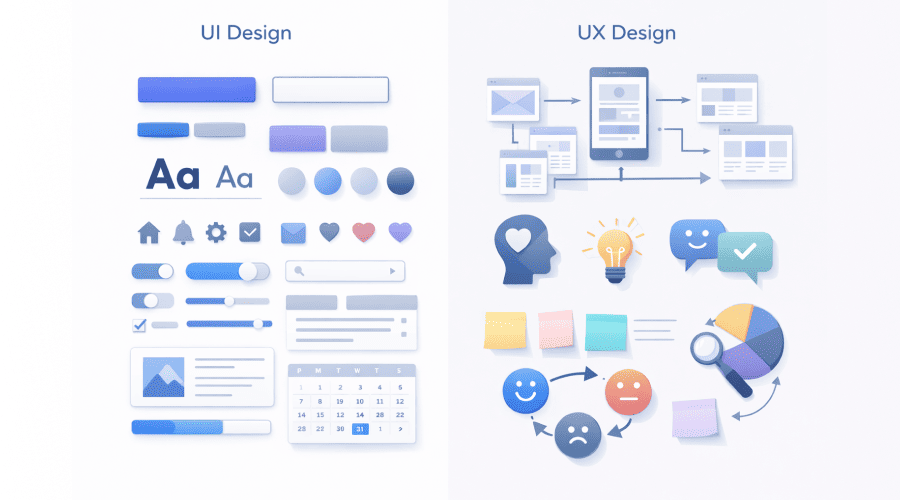
| UI vs UX | ||
|---|---|---|
| Aspect | UI Design | UX Design |
| Primary Focus | Visual appeal and interface aesthetics | Overall user experience and problem-solving |
| Core Skills | Visual design, typography, color theory, layout | Research, user psychology, wireframing, testing |
| Deliverables | High-fidelity mockups, style guides, interactive prototypes | User flows, journey maps, wireframes, usability reports |
| Daily Tasks | Designing screens, refining components, ensuring consistency | Conducting user research, creating user personas, and analyzing feedback |
| Common Misconceptions | Mistaking UI tools for UX strategy; focusing on appearance only | Assuming UX is limited to wireframes or functionality without design consideration |
Why Can’t UI and UX Exist Without Each Other?
A great UI without UX is like a shiny car with a broken engine; it looks good, but won’t run.
Products with weak user experience frustrate users, regardless of how polished the interface looks. Conversely, great UX paired with a weak user interface feels outdated and confusing, and hence is unable to attract or retain users.
Leading products strike a balance where visual design supports intuitive flows and user needs. While no-code and AI tools can speed up creation, only a solid UI/UX foundation ensures meaningful solutions.
Why Do UI & UX Skills Matter More in 2026?
User expectations have shifted sharply, with speed and personalization being baseline demands.
Mobile-first design is no longer optional, and accessibility has become both a legal and ethical standard. Businesses now view design as a core driver of customer loyalty and revenue.
Strong UI/UX reduces churn, boosts conversion, and strengthens brand perception. Designers skilled in both disciplines provide the strategic advantage companies need to stand out in saturated markets.
What Career Paths Can You Choose in UI, UX, and Hybrid Roles?
Choosing a career in design means understanding where your natural interests and strengths align within the spectrum of UI, UX, and hybrid roles. Each path calls for a different mindset, shaping both how you contribute to product success and how you grow professionally. Here’s how:
- User Interface (UI) Designer: Crafts the visual interface, focusing on aesthetics, consistency, and interaction design.
- UX Designer: Focuses on research, user flows, and problem-solving to optimize the overall experience.
- Product Designer: Bridges UI and UX with a broader focus on product strategy and business goals.
- UI/UX Generalist: Versatile professionals handling both visual design and experience research.
What Skills Do You Need to Start a Career in UI/UX Design?
Starting in UI/UX requires more than just knowing design software.
At its core, the foundation is design thinking, approaching problems with curiosity, empathy, and a user-first mindset. Clear communication skills are essential as you’ll translate complex ideas into simple designs and collaborate with diverse teams.
Learning tools like Figma or Adobe XD matters, but understanding design fundamentals such as color theory, layout, and interaction principles is equally important. Structured training and consistent practice help transform theory into real-world skills.
Early projects and regular feedback loops also build the confidence and competence needed to thrive in this competitive field.
Why Do UI and UX Work Best Together?
Mastering both UI and UX is essential for building a lasting career in design.
User interface captures attention with visuals, while UX retains users through effective problem-solving.
For students and professionals alike, understanding this balance can unlock opportunities to create products that resonate and perform.
SkillStone helps designers build both User Interface and User Experience skills by bridging theory and real-world practice, preparing them for how design roles actually work.
Frequently Asked Questions
1. What is the difference between UI and UX design?The difference between UI and UX lies in what problem each discipline solves. UI design focuses on the visual layer, like how an interface looks, communicates, and stays consistent. UX design focuses on the experience layer, like how users move through a product, complete tasks, and achieve goals. Understanding UI vs UX design helps designers build products that are both visually appealing and genuinely usable.
2. Should you choose UI design or UX design as a career in 2026?In 2026, UI and UX designer roles no longer exist in isolation. UI designers specialize in visual systems and interaction patterns, while UX designers concentrate on research and usability. For long-term growth in UI and UX careers, professionals who understand both disciplines have a clear advantage within product teams.
3. What UI/UX skills are most important to learn today?Modern UI UX skills go beyond tool proficiency. UI designers need strong fundamentals in typography, color systems, accessibility, and component-based design. UX designers need skills in research, user psychology, journey mapping, and testing. For beginners, the first step is understanding how UI and UX connect, which helps make sense of how different tools are used.
4. What is a realistic UI/UX roadmap for beginners?A practical UI UX roadmap starts with understanding users and design thinking, followed by learning visual and interaction fundamentals. Beginners should explore wireframing, usability testing, and interface design using tools like Figma. Real projects, feedback, and iteration are essential before specializing as a UI or UX designer.
5. Is UI/UX for beginners still a good career path in 2026?Yes, UI/UX for beginners remains a strong career path in 2026, but expectations are higher. Employers now look for designers who understand both UI and UX design, can clearly explain the difference between the two, and apply those skills to real-world problems. Beginners who focus on fundamentals and practical experience will continue to find opportunities across industries.

You may also like

What Marketers Must Own in an AI-Driven Marketing Landscape